Foundry toolchain is a smart contract development toolchain written in Rust. It manages your dependencies, compiles your project, runs tests, deploys, and lets you interact with the chain from the command-line.
Recommended Knowledge
- Basic understanding of Solidity and Lux.
- You are familiar with Lux Smart Contract Quickstart.
- Basic understanding of the Lux's architecture
Run Lux Starter Kit
The Lux Starter Kit contains everything you need to get started quickly with Lux. Among other tools it contains Lux CLI. With that you can set up a local network, create a Lux L1, customize the Lux L1/VM configuration, and so on.
In this course we will run the Lux Starter Kit in a hosted environment on Github. This is the quickest way to get started.
Set Up Lux Starter Kit:
Create a Codespace

The Codespace will open in a new tab. You must be logged into a GitHub account, otherwise codespaces will not be available. Wait a few minutes until it's fully built. Alternatively, you can also clone the repo:
Open Lux Starter KitVerify everything is working correctly
Open the terminal with Ctrl + ` or by opening it through the menu:
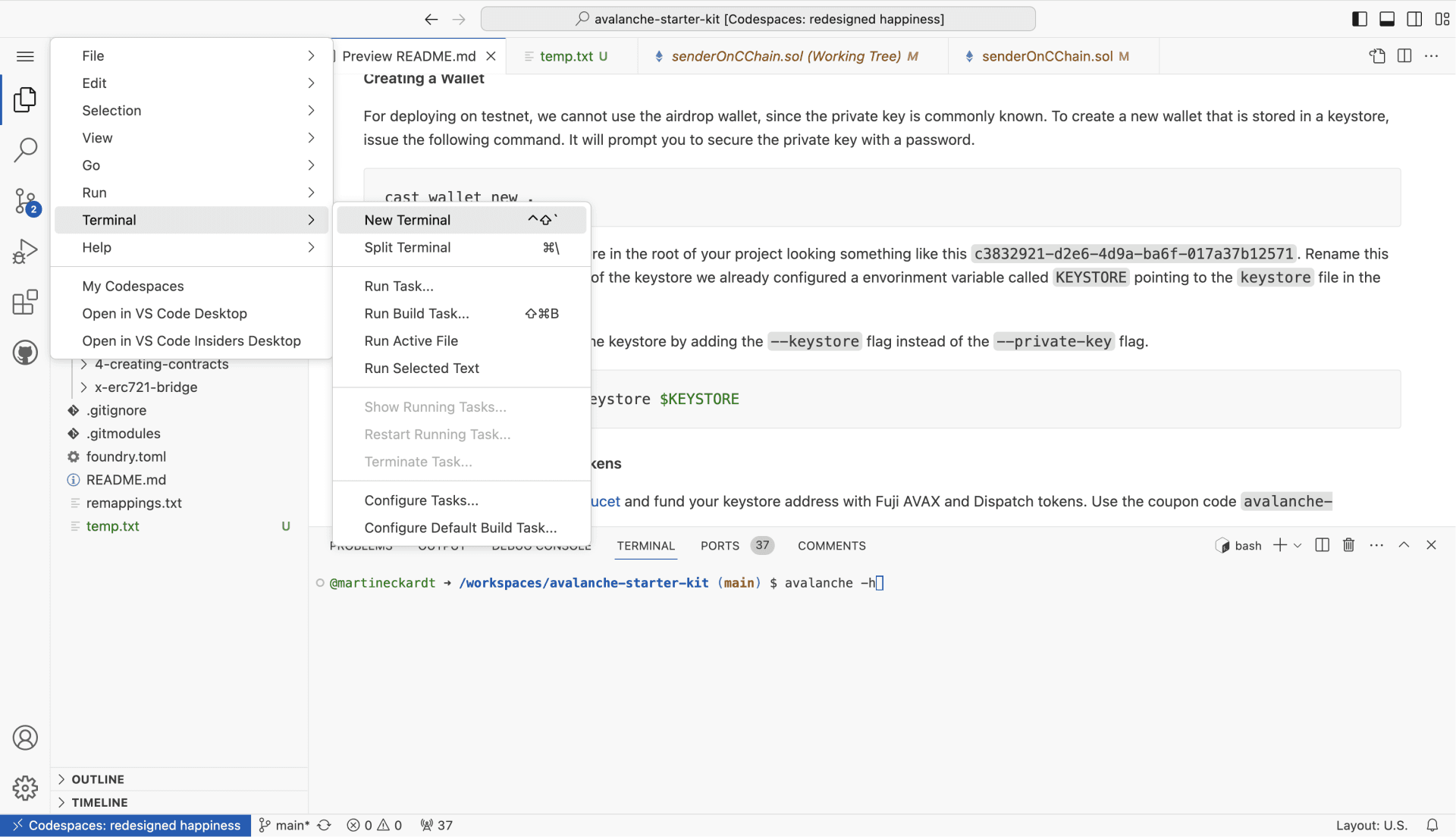
Now enter lux -h to verify everything is working:
lux -hAs a result you should see the help of Lux CLI:
Lux-CLI is a command-line tool that gives developers access to
everything Lux. This release specializes in helping developers
build and test Lux L1s.

To get started, look at the documentation for the subcommands or jump right
in with lux blockchain create myNewLux L1.

Usage:
  lux [command]

Available Commands:
  config                Modify configuration for Lux-CLI
  help                  Help about any command
  key                   Create and manage testnet signing keys
Optional: Open Codespace locally in Visual Studio Code
You can switch any time from the browser IDE to Visual Studio Code:
The first time you switch, you will be asked to install the Codespaces extension and connect VS Code to you GitHub account, if it is not already connceted.
Create a Smart Contract
Create a new Solidity file in the src directory of your project. For example, src/MyContract.sol.
// SPDX-License-Identifier: MIT
pragma solidity ^0.8.0;

contract MyContract {
    uint256 public myNumber;

    function setNumber(uint256 _num) public {
        myNumber = _num;
    }
}
Create Deployment Address
You can create a new wallet with the case command:
cast wallet newFund Your Account
Option 1 (Recommended): Create a Lux Build account and connect your wallet to receive testnet LUX automatically.
Option 2: Use the Lux Testnet Faucet with code lux-academy25
Deploy the Smart Contract
With foundry's forge command, you can deploy your smart contract to the Testnet LUExchange-Chain.
forge create --rpc-url testnet-c --private-key <private-key> src/MyContract.sol:MyContractIs this guide helpful?